Issue Report
The Issue Report display the all type of issues related to the Project or specific team. Follow the below steps to view and export the Issue report,
- Select Projects from the side Navigation bar and choose the required Project
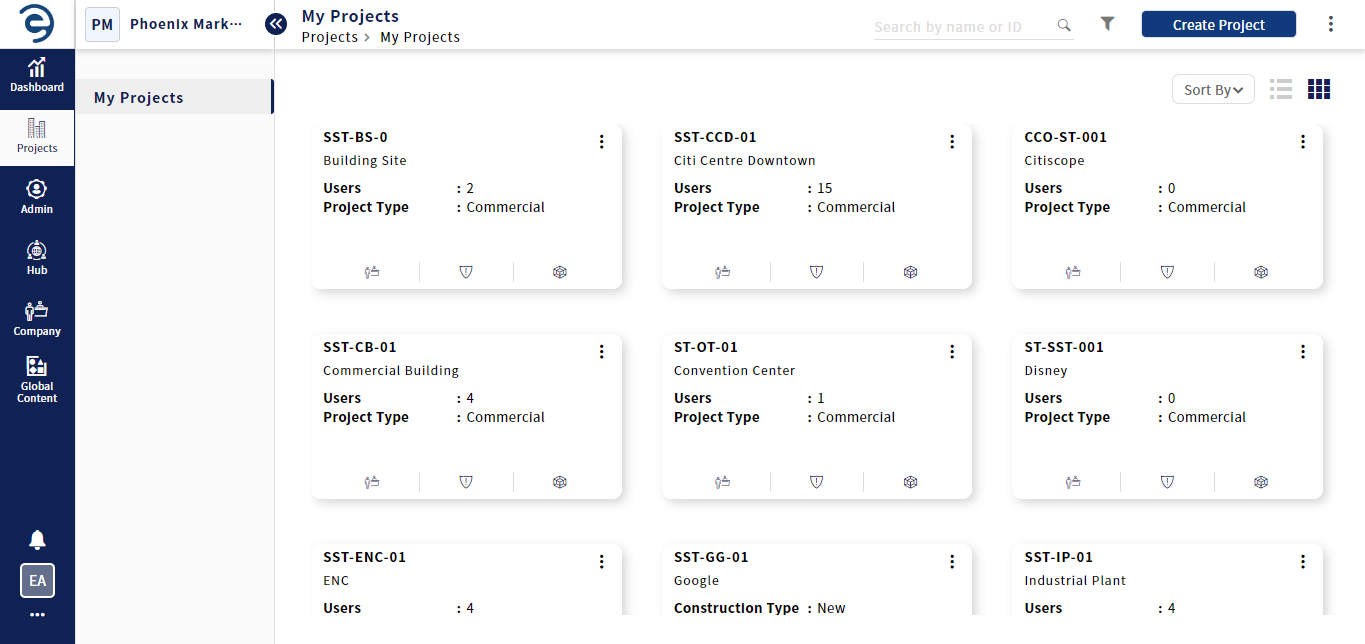
Exporting Issue Report
- Select Reports > Issues to display all the issues related to the project
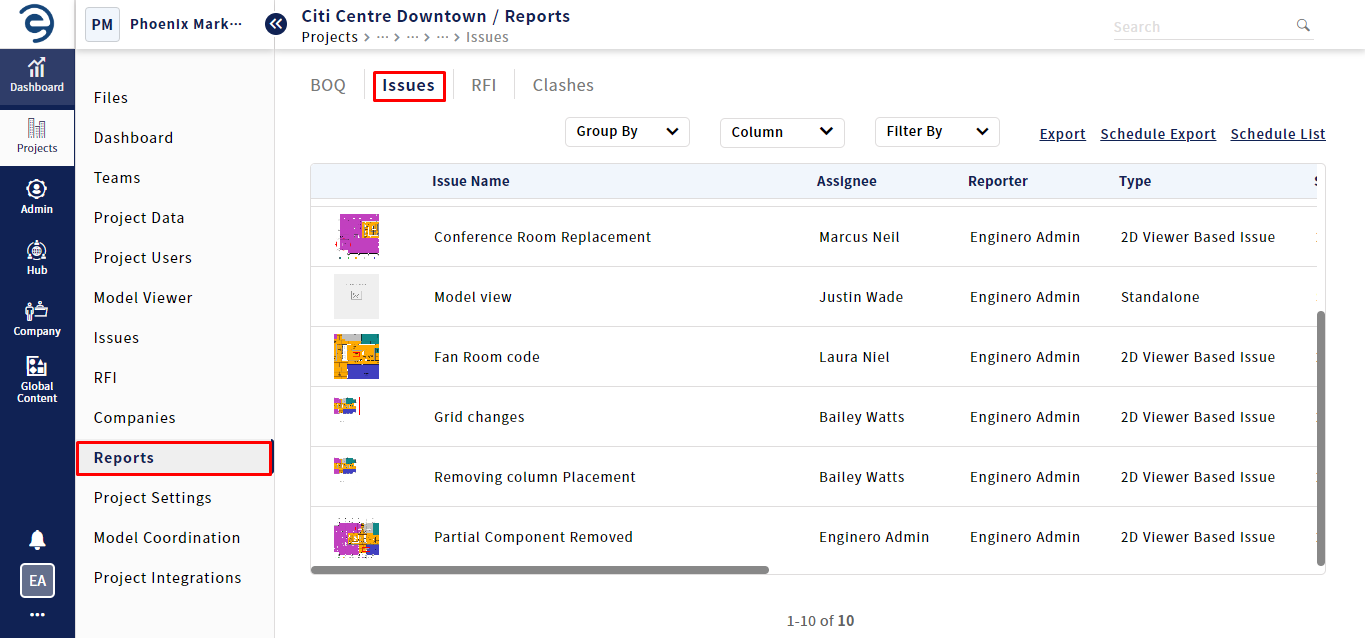
Exporting Issue Report (Cont.)
- Users can categorize issues by selecting specific criteria in the Group By drop down
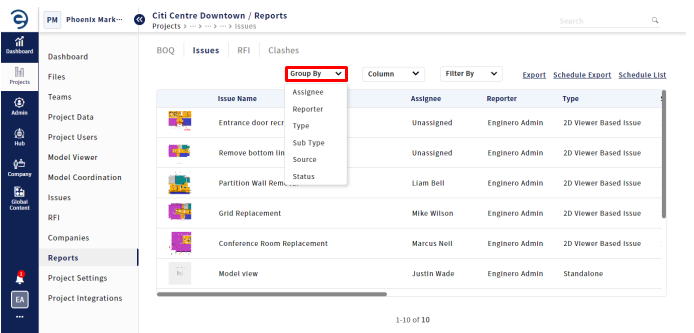
Exporting Issue Report (Cont.)
- To customize the Issue Report, click on the Columns section and select the required columns that suits the Issue Report
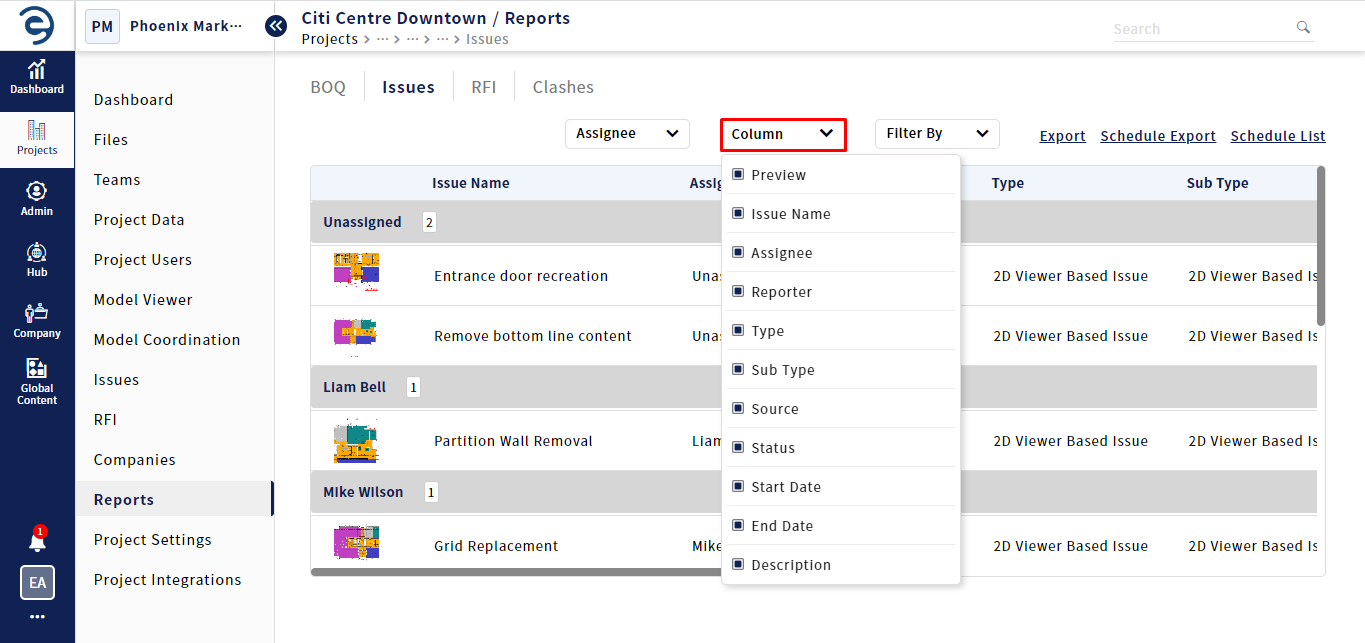
Exporting Issue Report (Cont.)
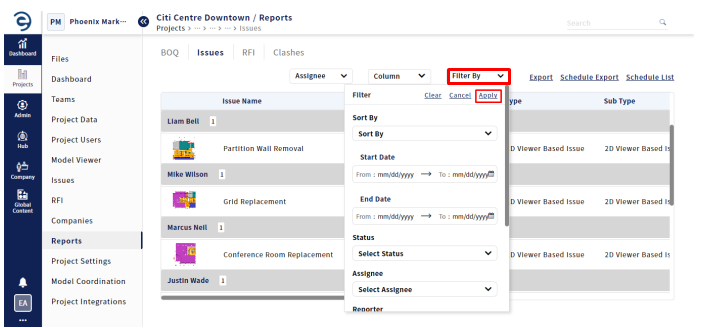
- To narrow down the issues results, click on the filter by drop-down, select the specific criteria such as date range, status, assignee and so on, and click on the Apply button
Exporting Issue Report (Cont.)
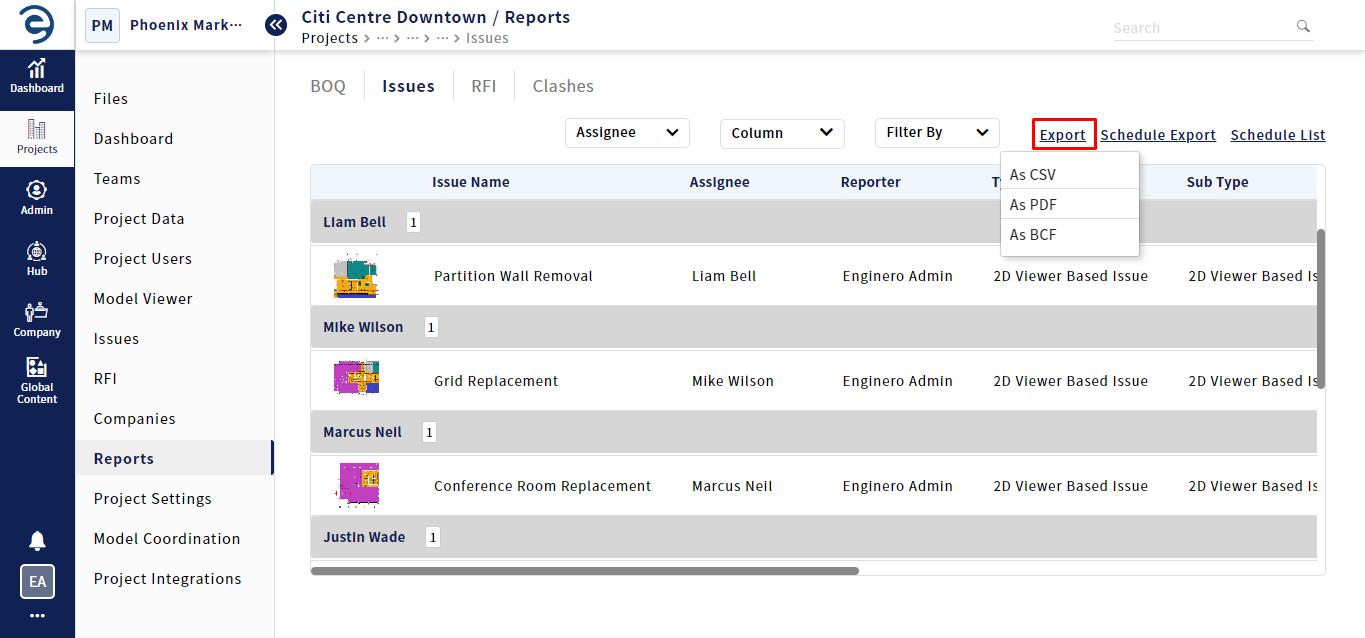
- Click on the Export button and select the desired file format to download the report
Exporting Issue Report (Cont.)
Notes:
- The metric information present in the Issue report page will be downloaded when proceeding to the Export
Created with the Personal Edition of HelpNDoc: Transform Your Documentation Workflow with HelpNDoc's Intuitive UI