Creating Standalone Issue
Standalone issue is not connected to any module-based issue. These types of issues can be general/common issues faced within the project. Follow the below steps to create a standalone issue,
- Select Projects from the side navigation bar and choose the required Project to create a Standalone Issue
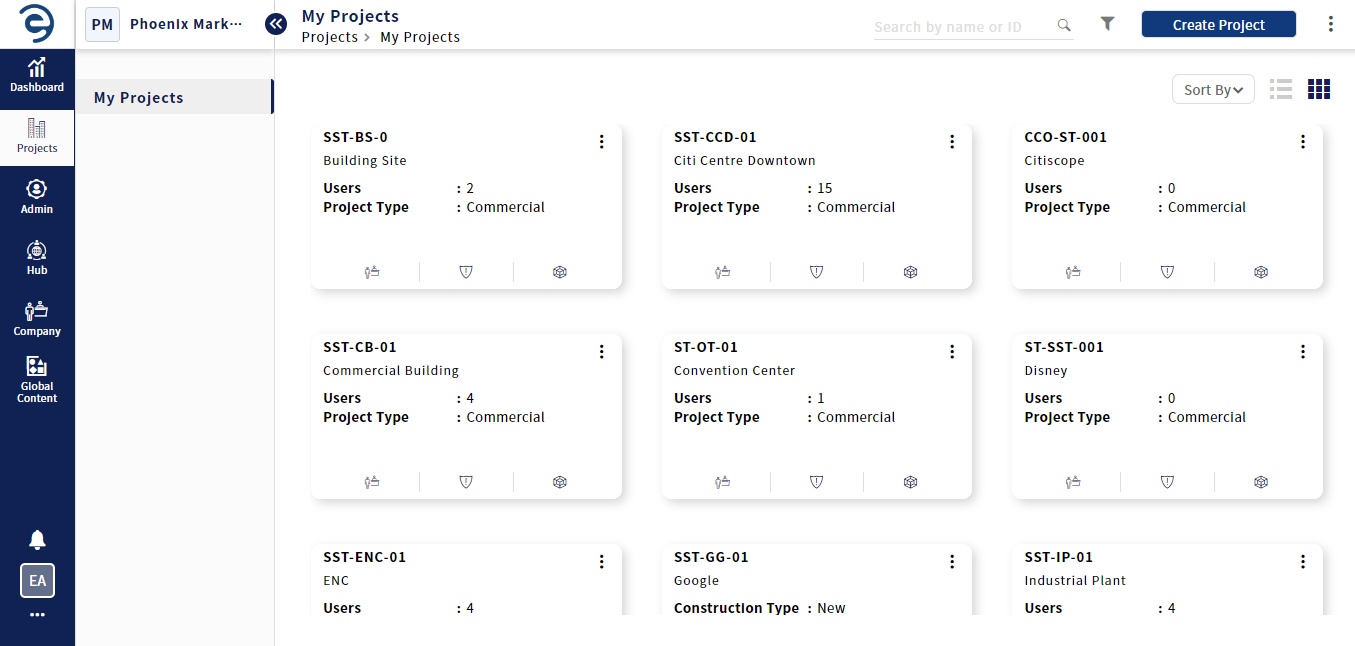
Choose the required Project
- Select Issues module and click on the Create Issue button (on top right)
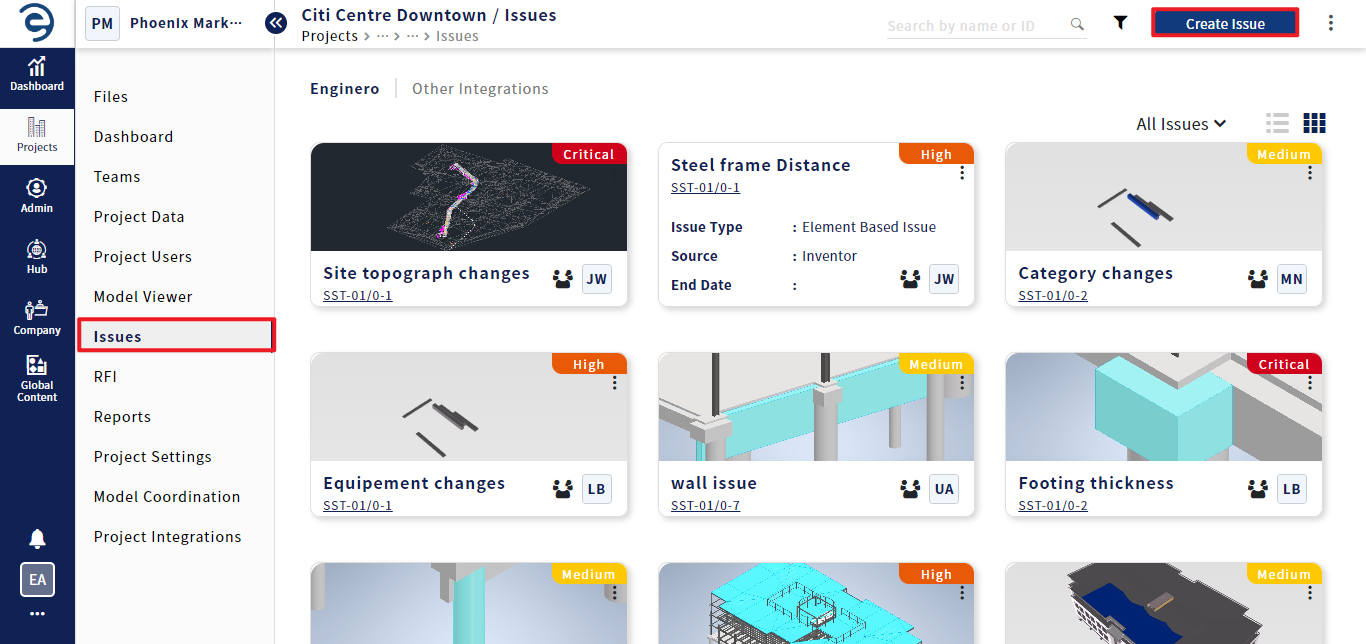
Creating a standalone Issue
- Enter the Mandatory Fields which will be marked with “*”, and click on the Create Issue button to complete the process
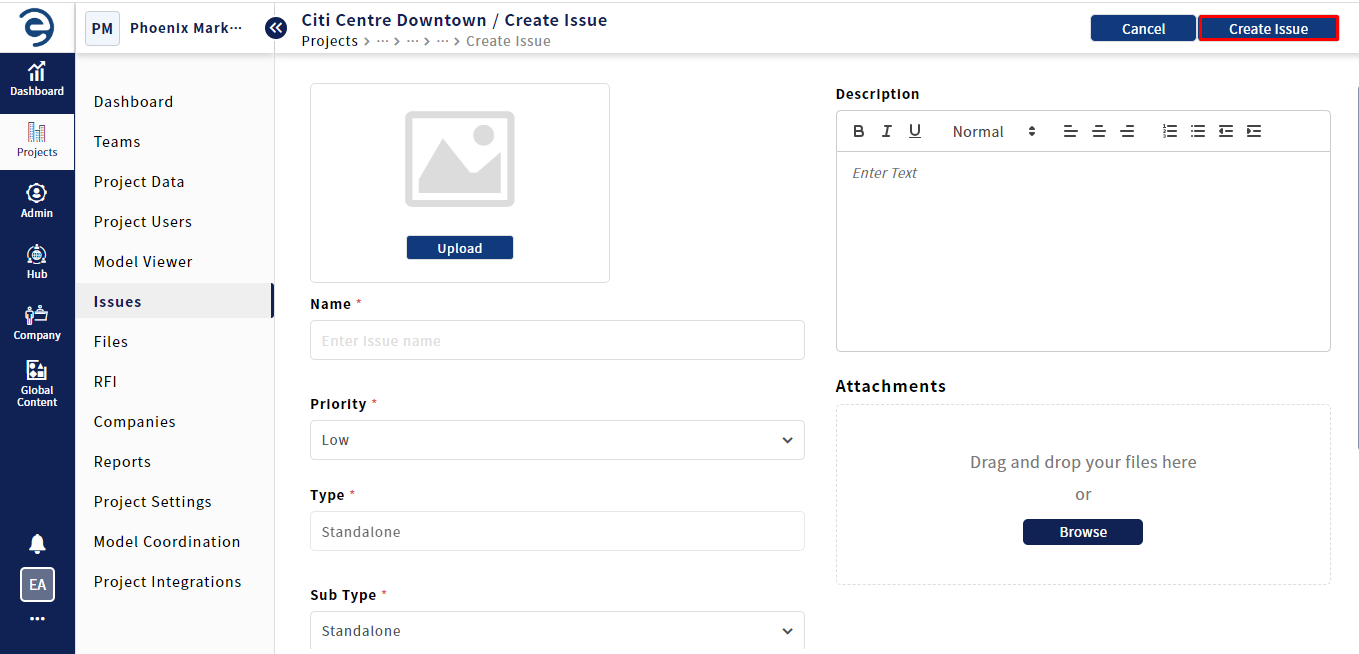
Creating a standalone Issue (Cont.)
- After the issue is created, users can view it in List & Card view
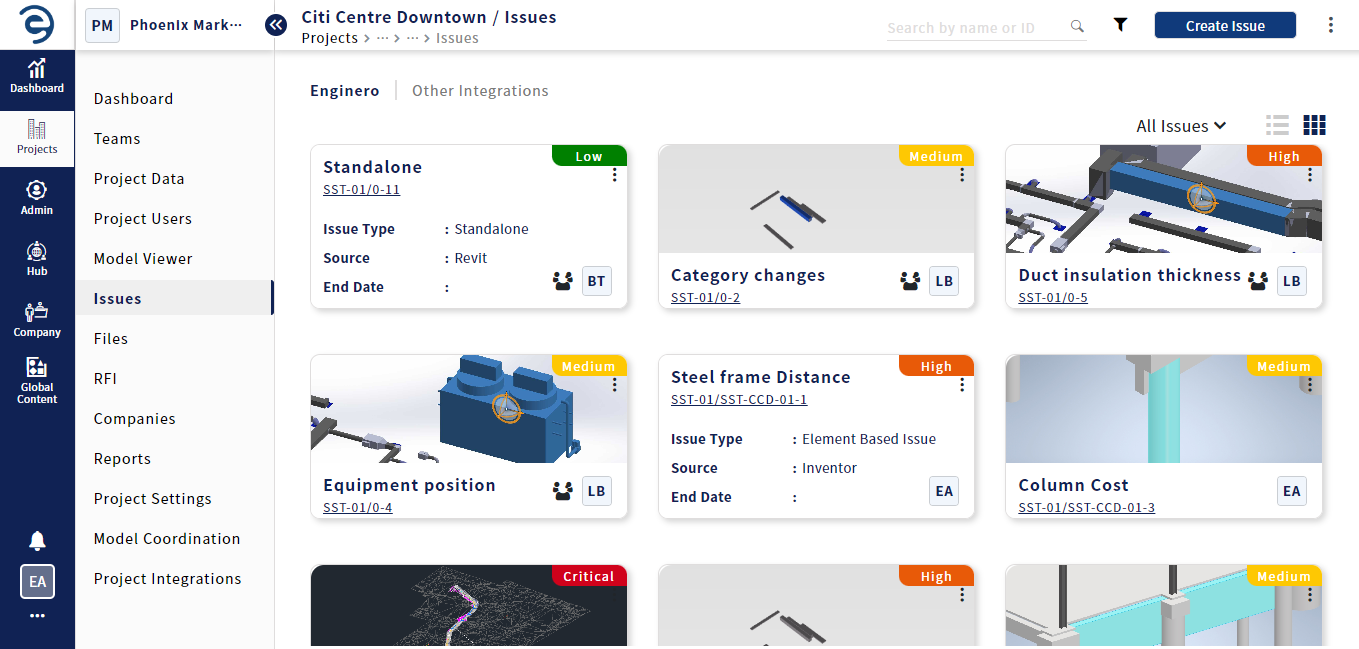
Viewing Issue in Card View
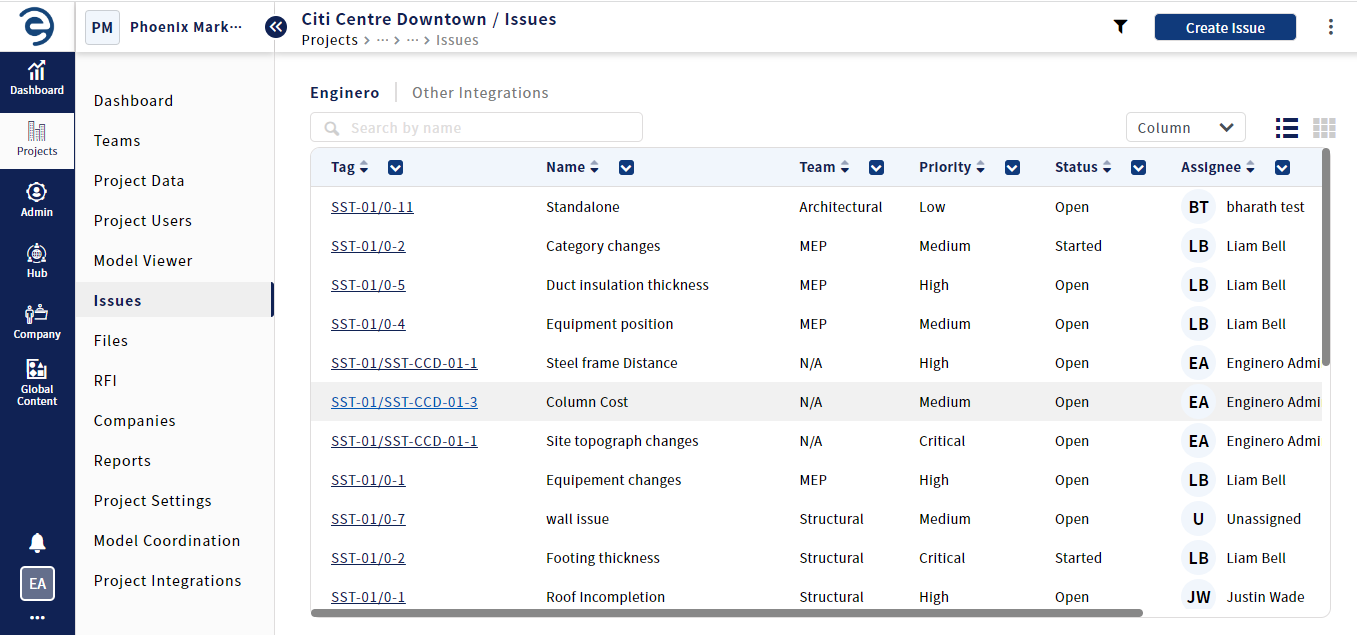
Viewing Issue in List View
Created with the Personal Edition of HelpNDoc: Full-featured Help generator