Creating Property Based RFI
Property Based RFI is an RFI related to the properties of parts, or assemblies. Follow the below steps to create a Property Based RFI,
- Click on the Manage Properties option under the Enginero tab from ribbon panel

Enginero Plugin Ribbon Panel
- Select the part or sub-assembly from the model hierarchy in the Inventor model to display its properties in the Manage Properties window
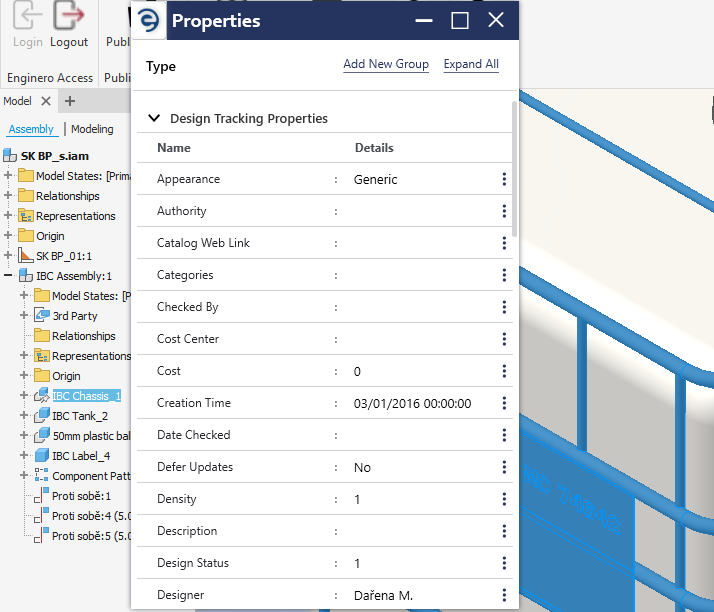
Creating a Property Based RFI
- Click on the Ellipsis icon next to the property for which the element needs to create an RFI and select the Create as RFI option
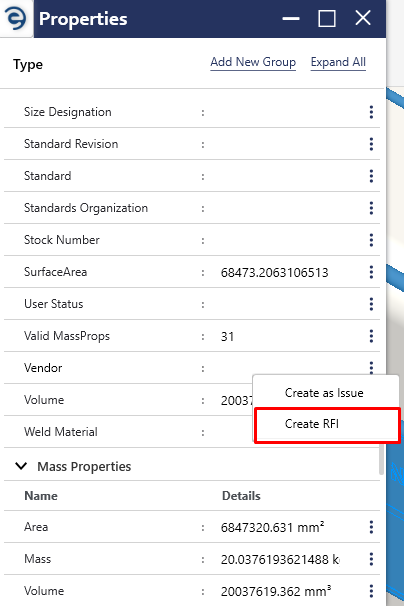
Creating a Property Based RFI (Cont.)
- Enter the Mandatory Fields which will be marked with “*”, and click on the Create button to complete the process
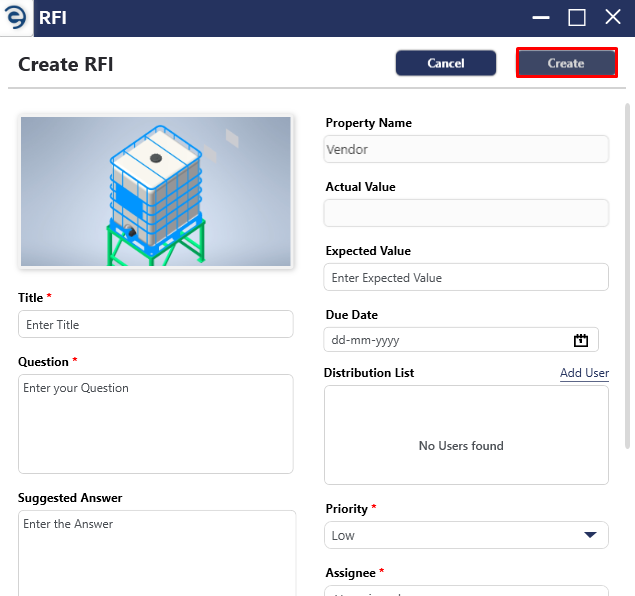
Creating a Property Based RFI (Cont.)
- After the RFI is created, an acknowledgement message will be displayed
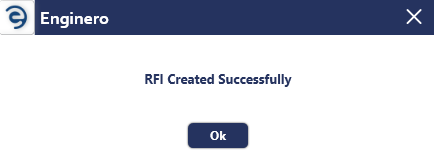
Creating a Property Based RFI (Cont.)
Created with the Personal Edition of HelpNDoc: Free EPub producer